
Steps and approvers
A rule has one or more steps. Steps run in order, one at a time. Each step names its approvers and how many of them must agree. Approval step, next to Add at the top of the editor, adds a step. The arrows on a step move it up or down.
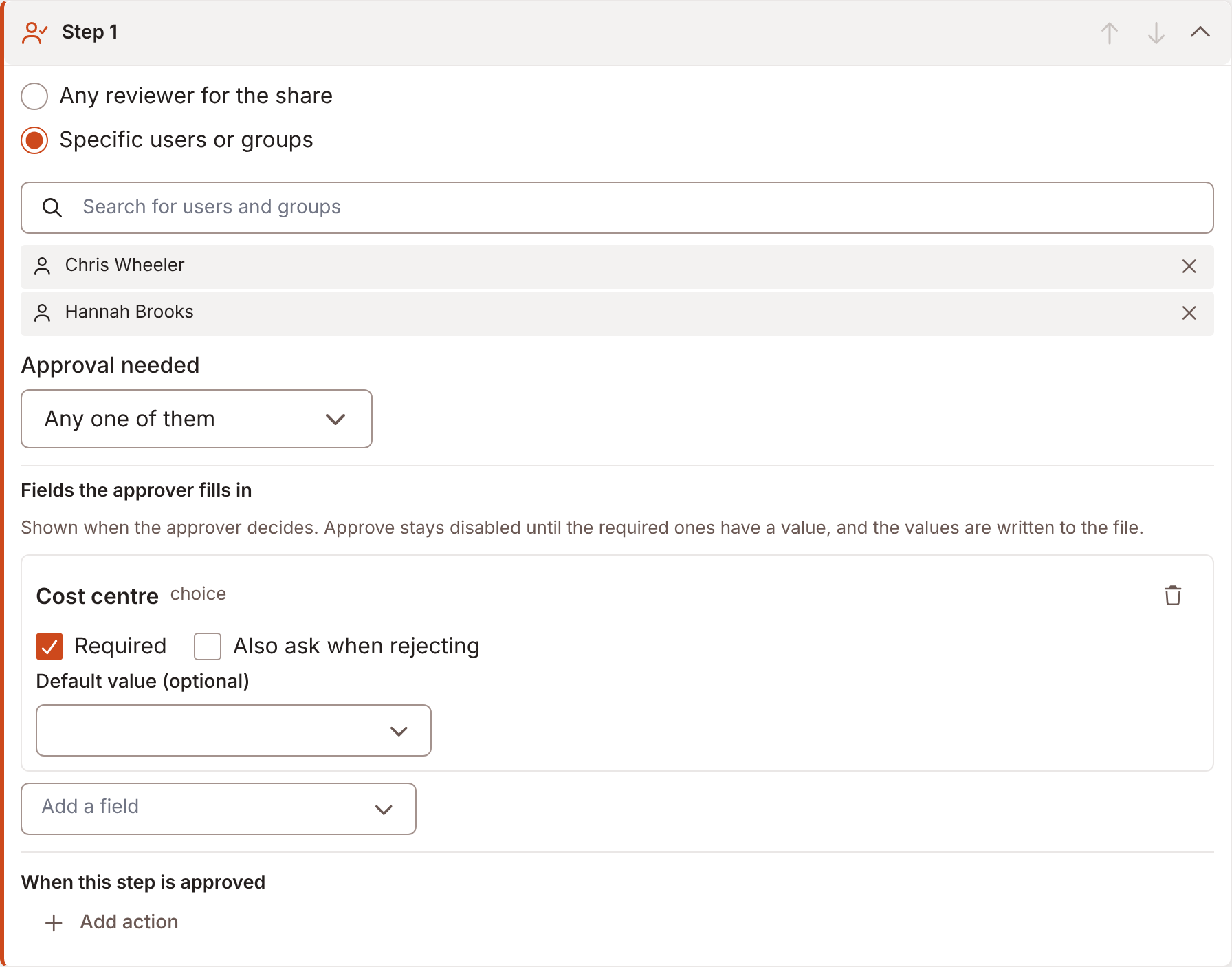
Who approves
Section titled “Who approves”Each step has one of three ways to name approvers.
| Choice | Means |
|---|---|
| Any reviewer for the share | The pool. Any user who holds Review approvals on the share, and who can open it, may approve. |
| Specific users or groups | The users and groups you pick. A group stays a group: members who join later may approve too. |
| The user named in a field | Whoever the file names in a people field. See below. |
The Default approvers list on the Rules tab holds users and groups with Review approvals on every share. It says: Requests routed to “any reviewer for the share” wait for any of these users or groups. They act on the shares they can already open. A share can also grant Review approvals on its own access list.
The editor warns when a named approver cannot open the share: {name} cannot open {shares}. They will see routed items but not the files; grant them access to the share, or pick someone else. Foldr gives each named approver read access to that one file while the request is open, and takes it away when the request ends.
The requester is never an approver. Foldr drops them from the step.
How many must agree
Section titled “How many must agree”With more than one approver, Approval needed has three choices.
| Choice | Means |
|---|---|
| Any one of them | One approval approves the step. |
| Every one of them | Every approver named must approve. |
| A set number of them | How many must approve approve it. The number cannot exceed the approvers named. |
One rejection that makes the target unreachable rejects the step at once. A request never waits on a decision that can no longer change the outcome. One rejected step rejects the whole request.
When a deadline adds approvers to a step, Every one of them does not rise. It still needs the number it needed when the request was raised.
Steps in turn
Section titled “Steps in turn”When a step is approved, the next step activates. When the last step is approved, the request is approved and its outcome runs.
From the second step on, Only require this step when skips the step if its conditions do not hold when the previous step is approved. See Conditions. If no later step is required, the request is approved.
Approver from a field
Section titled “Approver from a field”Choose The user named in a field, then Field naming the approver. The list holds the people fields. Add one with Add an approver field on a form, or define it as a custom field. See Approvals.
Foldr reads the field once, when it raises the request. Whoever the file names in this field approves it, worked out when the approval is raised. A later edit to the field does not re-route a request already open. That keeps the record true to who was asked.
- A field that holds several users gives one approver each, so the step’s quorum applies across them.
- A field that holds a group keeps the group as one approver.
- If the field is empty, or names a user that no longer exists, the approval goes to Any reviewer for the share instead. The inbox says which field came up empty, for example “(Approver named nobody)”.
- If the field names the requester, Foldr leaves them out. The inbox says, for example, “(Approver named the user who raised it)”.
- A very long list is cut short. The inbox says “(first N only)”, with the number.
Handoff
Section titled “Handoff”Notify approvers when it’s their turn, on the Settings card, emails each step’s approvers when the step becomes theirs. The first step’s approvers hear when the request is raised. Later steps hear as they activate. Switch it off and approvers find the request only in the inbox.
What an approver can do
Section titled “What an approver can do”An approver approves, rejects, pauses or resumes. See Approving. A step can also ask the approver to fill in fields. See Decision fields.