
Button
A button that sets, toggles or clears form variables when clicked.
Stores: no answer. Can go: the form page, inside a panel, inside columns. Field key prefix: button.
How it looks
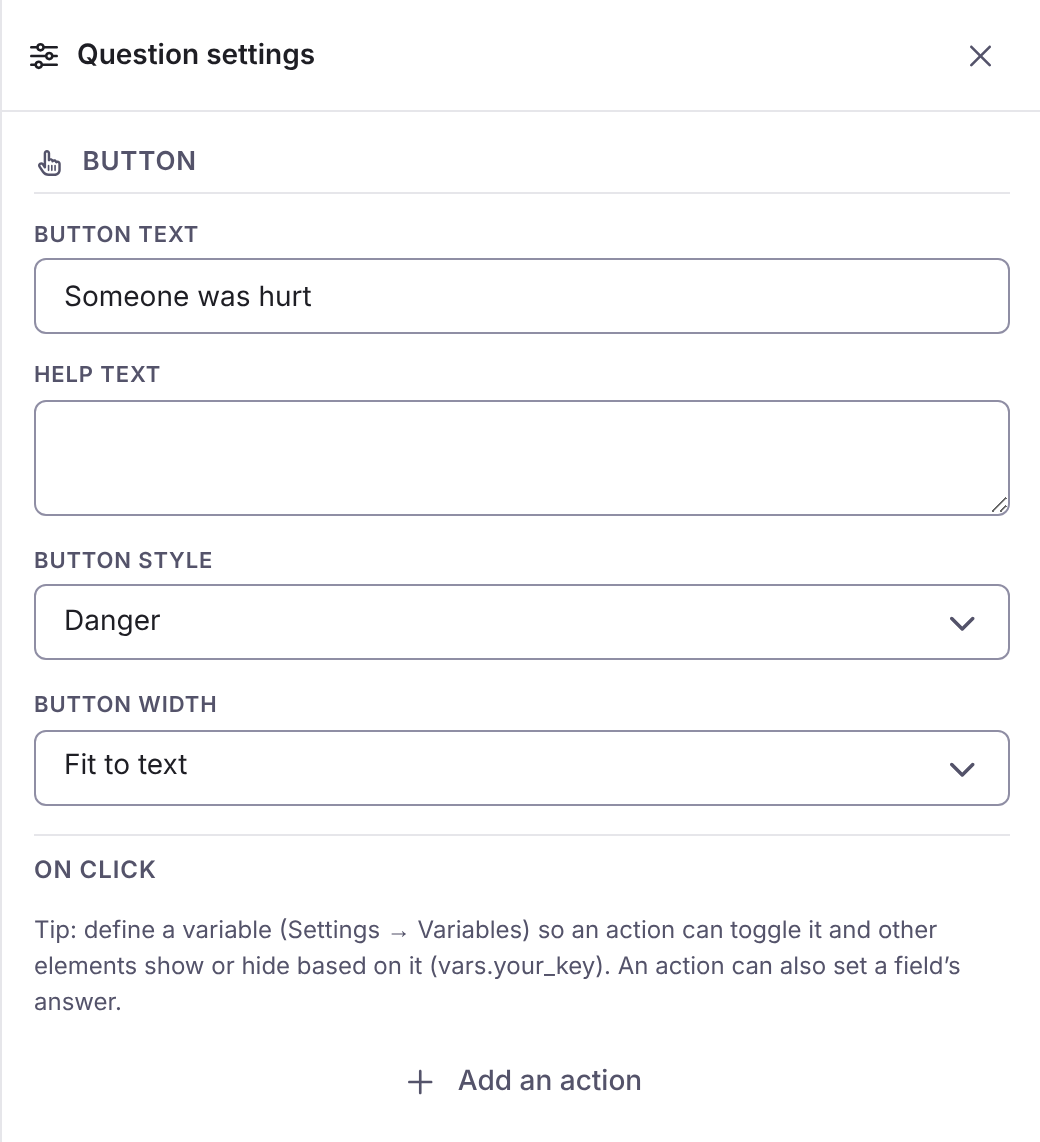
Section titled “How it looks”The first picture is the question’s settings panel in the builder. The second is the question as the person filling in the form sees it.

Options
Section titled “Options”| Option | What it does | Kind | Default |
|---|---|---|---|
| Question label | The text the responder sees. On a page break it is the page title, on a panel the heading, on a button its text, on a consent its statement. Also available on a table column. | Text | Blank |
| Help text | A line of guidance under the question. On a page break it is the page description. | Long text | Blank |
| When this answer changes | Actions that set, toggle or clear form variables when the answer changes. On a button they run on click. | Actions | None |
| Button style | The colour treatment of the button. Choices: Primary, Neutral, Success, Danger. | A choice | Primary |
| Button width | How wide the button is. Choices: Fit to text, Small, Medium, Large, Full width. | A choice | Fit to text |