
Table (repeating rows)
A repeating set of rows; each row holds the columns you define. Number columns can show totals.
Stores: an answer. Can go: the form page. Field key prefix: table.
How it looks
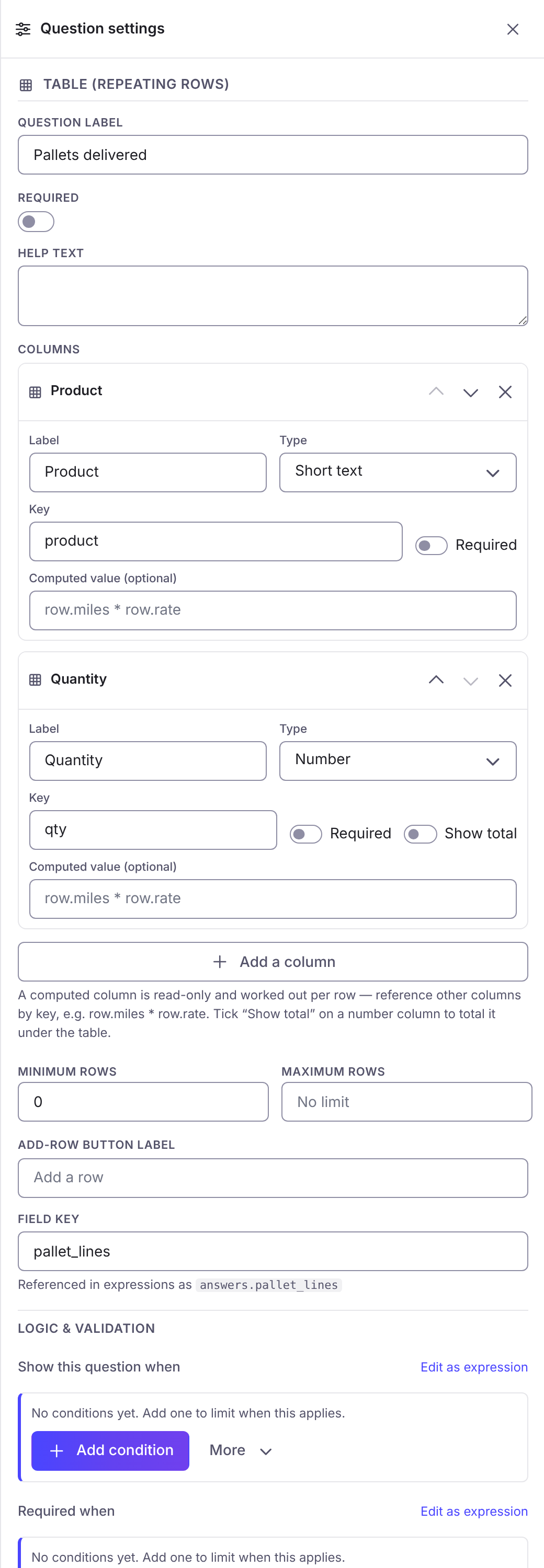
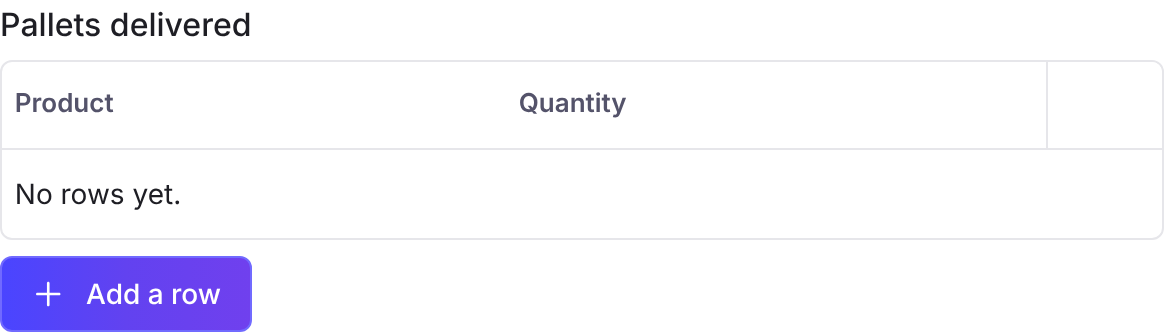
Section titled “How it looks”The first picture is the question’s settings panel in the builder. The second is the question as the person filling in the form sees it.
Options
Section titled “Options”| Option | What it does | Kind | Default |
|---|---|---|---|
| Question label | The text the responder sees. On a page break it is the page title, on a panel the heading, on a button its text, on a consent its statement. Also available on a table column. | Text | Blank |
| Help text | A line of guidance under the question. On a page break it is the page description. | Long text | Blank |
| Required | The responder must answer before they can continue. Also available on a table column. | On or off | Off |
| Field key | The name expressions use: answers.<key>. Letters, numbers and underscore, not starting with a digit, unique in the form. Also available on a table column. | Text | |
| Columns | The columns of each row. A column has a label, a type from the table column types, a key, and the options its type has. | A list | |
| Minimum rows | Fewest rows the responder must give. | Number | 0 |
| Maximum rows | Most rows allowed. 0 is no limit. | Number | 0 |
| Add-row button label | The text on the add-row button. Blank reads “Add a row”. | Text | Blank |
Logic and validation
Section titled “Logic and validation”Each of these takes an expression, written by hand or with the logic builder.
| Setting | What it does |
|---|---|
| Show this question when | Shows the question only while the expression is true. |
| Required when | Makes the question required only while the expression is true. |
| Valid when | Refuses the answer unless the expression is true. |
| Computed value (read-only) | A value worked out by the server from other answers; whatever is submitted is ignored. |
| Default value (editable) | Pre-fills the question; the responder can change it. |