
Rules
A rule decides who approves a request, in what order, and what happens after. Some requests are raised by the rule itself. Others are raised by a share setting or a script, and a rule only routes them.
What raises a request
Section titled “What raises a request”| Source | Raised by | Rule’s part |
|---|---|---|
| A field change | A user edits a custom field on a file, or a form writes one. | The rule raises it, when its condition holds. |
| A saved change | A share with Changes require approval before publishing on, when a user saves a spreadsheet or document. | None. The share’s Approvers decide. |
| A Captur check | A share with Raise a review for documents that need a check on, when Captur leaves values needing a check. | The first rule with no condition that names the share routes it. |
| A script | mash.reviews.request in a script. | The rule the script names, else the first rule with no condition that covers the share. |
| Sharing | A share that needs approval before a link or recipient is added. | A Sharing that needs approval rule decides who approves. |
When no rule applies, the request goes to Any reviewer for the share. See Steps and approvers.
A field rule watches single edits that a user makes, and a form writing fields. It does not fire for a bulk edit or for Captur’s own writes. Captur raises a review through its own switch.
Where rules live
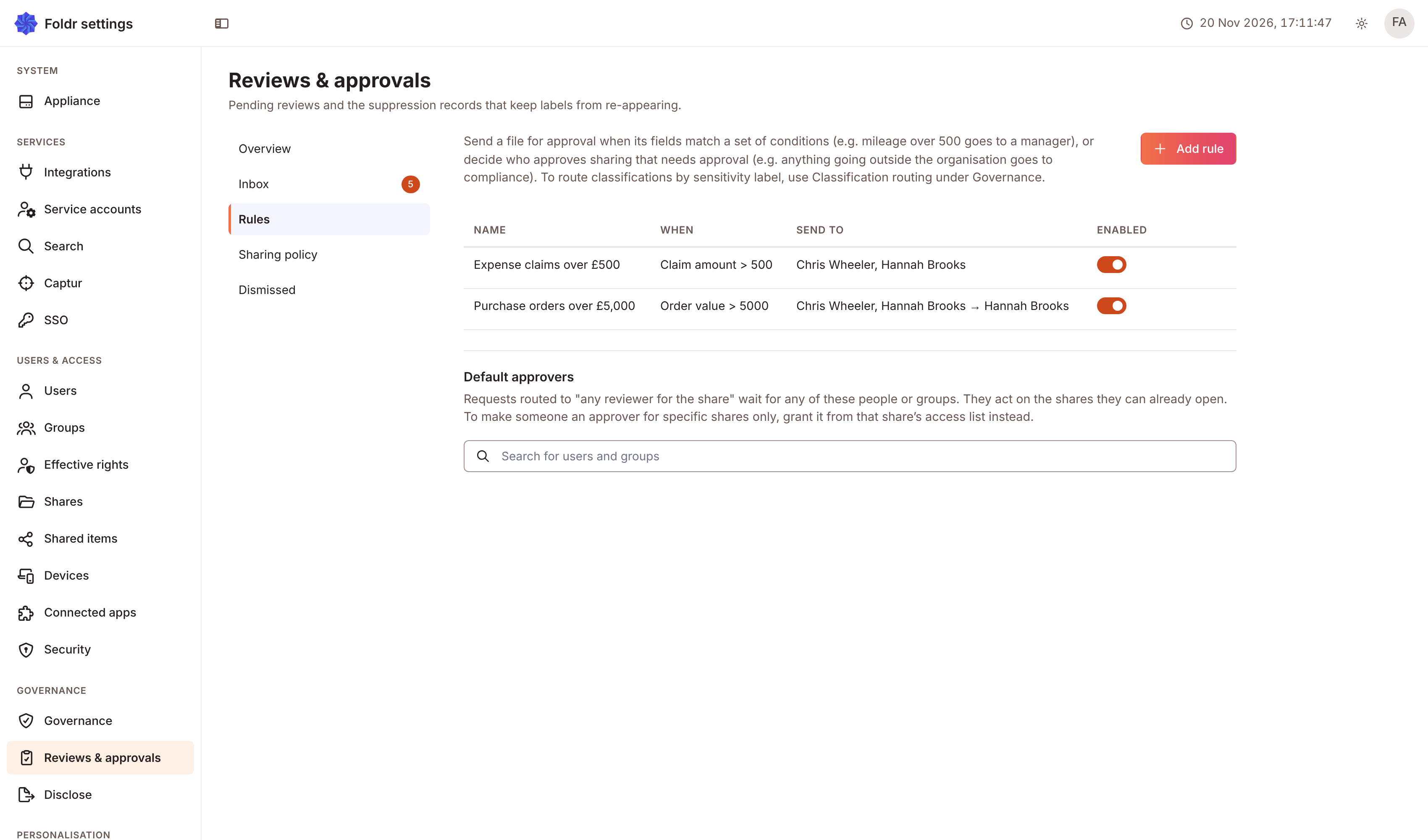
Section titled “Where rules live”In Settings, Reviews & approvals has five tabs: Overview, Inbox, Rules, Sharing policy and Dismissed. Rules are on Rules. The tab lists each rule with its Name, When, Send to and Enabled. Add rule opens the editor, and the pencil and bin icons on a row edit or delete the rule. Delete this routing rule? Existing reviews keep their current assignee.
A rule that a form made says from the form and its name. Edit that one from the form. See Approvals.
The rule editor
Section titled “The rule editor”The editor is one stack of cards. Next to Add at the top, Approval step adds a step and Deadline adds a deadline. A rule has one deadline, so Deadline is greyed out once it has one. The first card holds the name, what the rule approves, the condition and the shares, and opens when you select it. Edit as expression and Use the builder switch the condition between the builder and its written form.
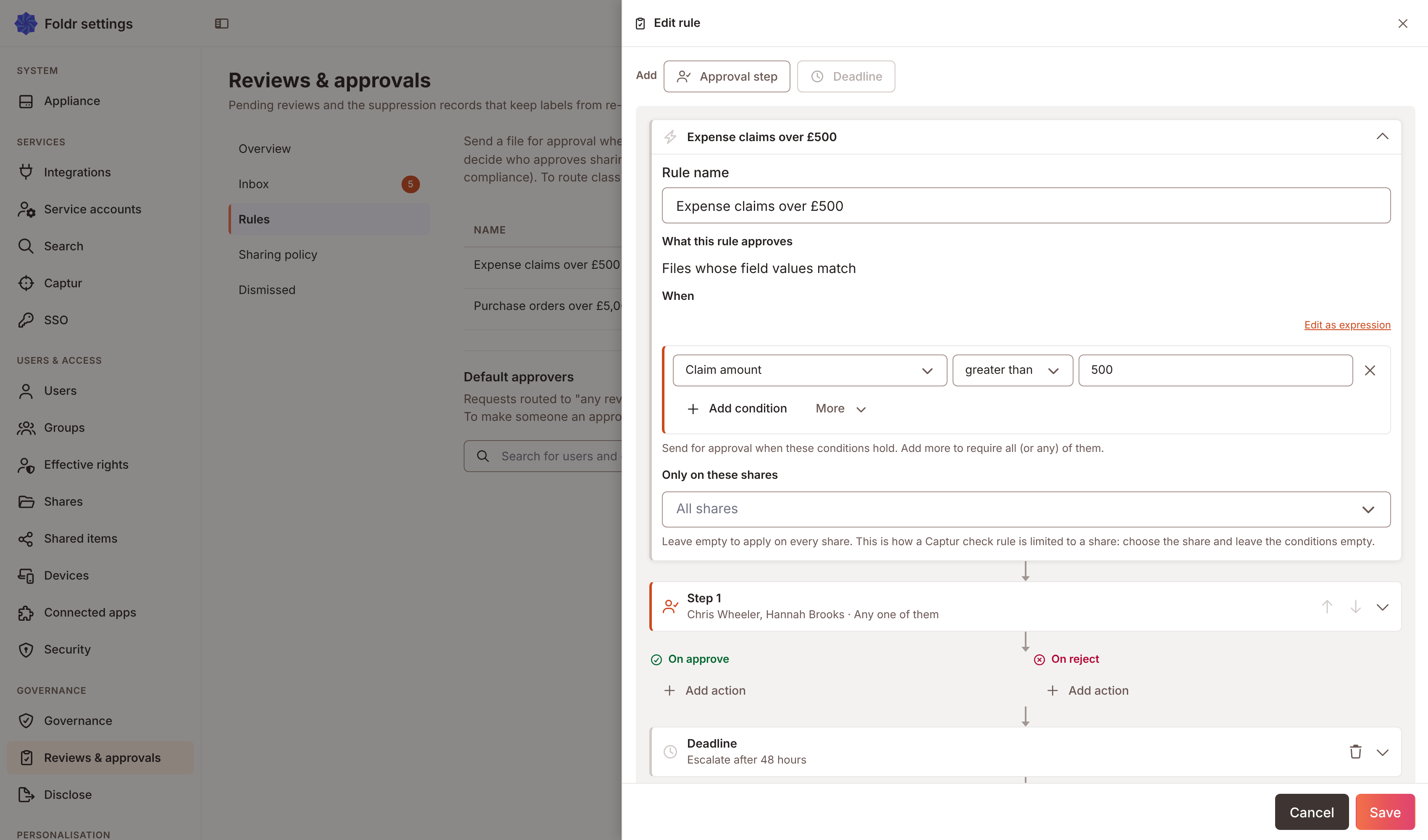
Rule name is required. What this rule approves has two choices:
- Files whose field values match raises a request when a file’s fields pass the When condition. See Conditions.
- Sharing that needs approval decides who approves sharing. Whether a share needs approval is set on the share. The rule decides who approves it, when its conditions hold. With no conditions it takes all of it.
Only on these shares limits the rule. Leave it empty and the rule covers every share. A rule that names shares says nothing about files elsewhere: it neither raises nor cancels a request there.
A rule for Captur checks
Section titled “A rule for Captur checks”A field rule with no condition is a Captur-check rule. The editor says No condition: this rule handles Captur checks on the shares below. It does not apply to every file. Choose the shares in Only on these shares. Add a condition to make it a field-value rule instead.
The same rule can route a script’s request, when the script names it or no other rule applies.
Settings card
Section titled “Settings card”| Setting | Does |
|---|---|
| Priority (lower runs first) | Orders rules. The first enabled rule that matches wins for routing. |
| Notify approvers when it’s their turn | Emails each step’s approvers when the step becomes theirs. See Steps and approvers. |
| Enabled | Switches the rule on or off. The Enabled switch on the list does the same. |
Saving checks the rule. These messages stop a save: Give the rule a name., Add at least one condition., Add at least one approver to every step., and Choose the field that names the approver.
Other automations
Section titled “Other automations”When a rule’s outcome sets a field, that field may start another automation. The editor warns about it under This rule may set off other automations. A rule never reacts to the field its own outcome set.
One request per file and rule
Section titled “One request per file and rule”A file has at most one open request from a rule. These happen to an open request:
- The condition still holds after another edit: Foldr refreshes the values the approver sees.
- The condition no longer holds: Foldr cancels the request. Decisions already recorded stay on it. No approver said no, so undecided approvers show as abstained.
- A request is snapshotted when it is raised. A later edit to the rule does not change a request already open.