
Conditions
A condition is the test a file must pass for a rule to raise a request. Under When in the rule editor, add one or more conditions, and say whether all or any of them must hold. You can nest groups.
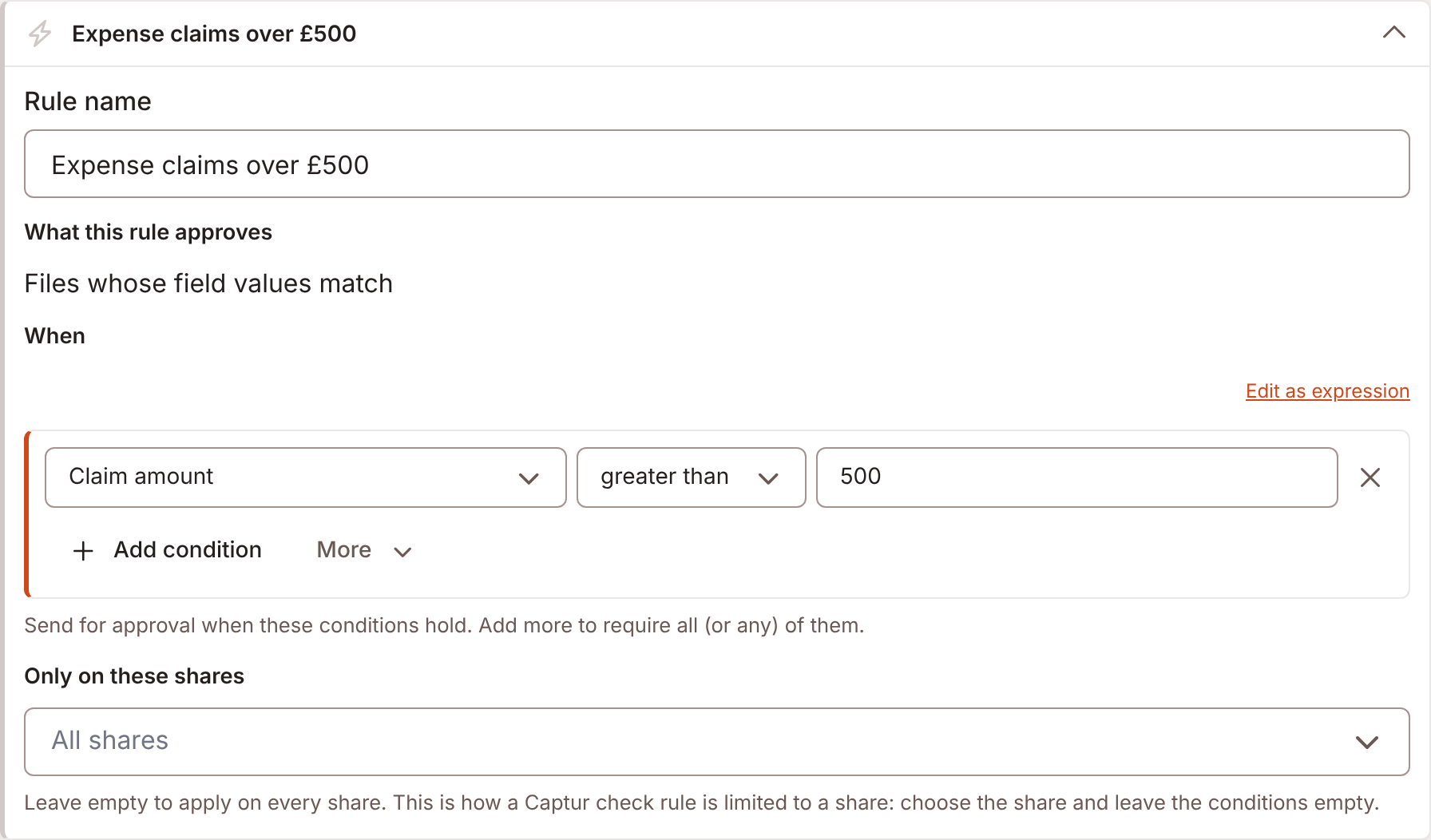
Send for approval when these conditions hold. Add more to require all (or any) of them. The builder is the same one Forms uses for its logic. Each condition is a fact, an operator and a value.
Facts a condition can test
Section titled “Facts a condition can test”| Fact | Type | Notes |
|---|---|---|
| Each custom field | Its own type | Every field the tenant defines. |
| File extension | Text | For example xlsx. |
| Share | Choice | The share the file is on. |
| Submitter’s group | User or group | A group the editing user is in. |
| Raised by form | Choice | A form that wrote the file. The lookup must succeed, or the rule leaves an open request alone. |
| Sensitivity label | Choice | The Governance label on the file. Offered to sharing rules. |
A Sharing that needs approval rule can also test what the request asks for and what the link would be:
- Adds people in the organisation
- Adds outside recipients
- Outside recipients
- Outside recipients’ domains
- Days until it expires
Operators
Section titled “Operators”is, is not, less than, at most, greater than, at least, includes, does not include, is on, is not on, is before, is after, is empty and is answered. A field offers the ones that fit its type. is empty and is answered take no value.
Fail closed
Section titled “Fail closed”A condition that will not compile or will not evaluate counts as false. A broken rule never routes everything. The builder checks the condition when you save.
A rule re-checks only when an edit changed a field the rule uses. A condition that uses no field re-checks on every edit.
Conditions on a step
Section titled “Conditions on a step”From the second step on, Only require this step when adds a condition to the step. If these conditions do not hold when the previous step is approved, the step is skipped. The first step always applies, so it cannot carry one. See Steps and approvers.