
Deadlines and escalation
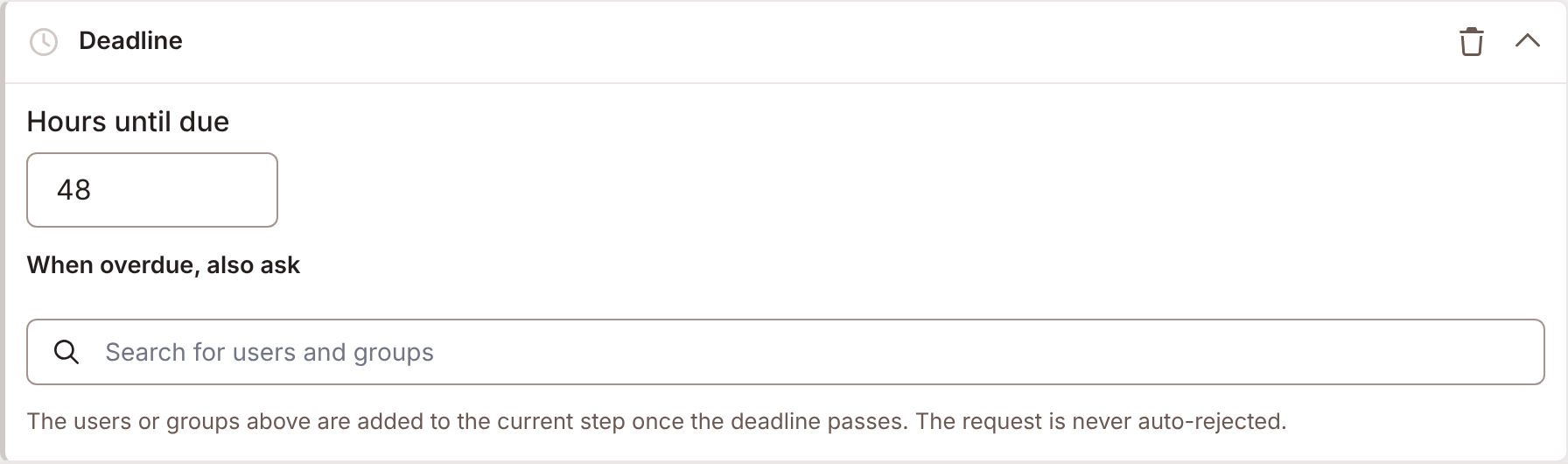
A deadline says how long a request may wait before more approvers join it. Deadline, next to Add at the top of the editor, adds the card.
Setting a deadline
Section titled “Setting a deadline”| Setting | Does |
|---|---|
| Hours until due | Sets the request’s due time, counted from when Foldr raises it. |
| Remind approvers | Reminds the approvers once, before the request is due. See below. |
| Remind them this many hours before it is due | Shows when Remind approvers is on. |
| When overdue, also ask | Users and groups to add to the current step once the deadline passes. |
| And the user named in | A people field on the file. Its user is added too. Nobody from a field adds none. |
Remove deadline takes the card away.
Remind approvers
Section titled “Remind approvers”A reminder nudges the approvers before the deadline, so the request is decided without escalating.
Foldr Cloud now. Appliances from 11.3.
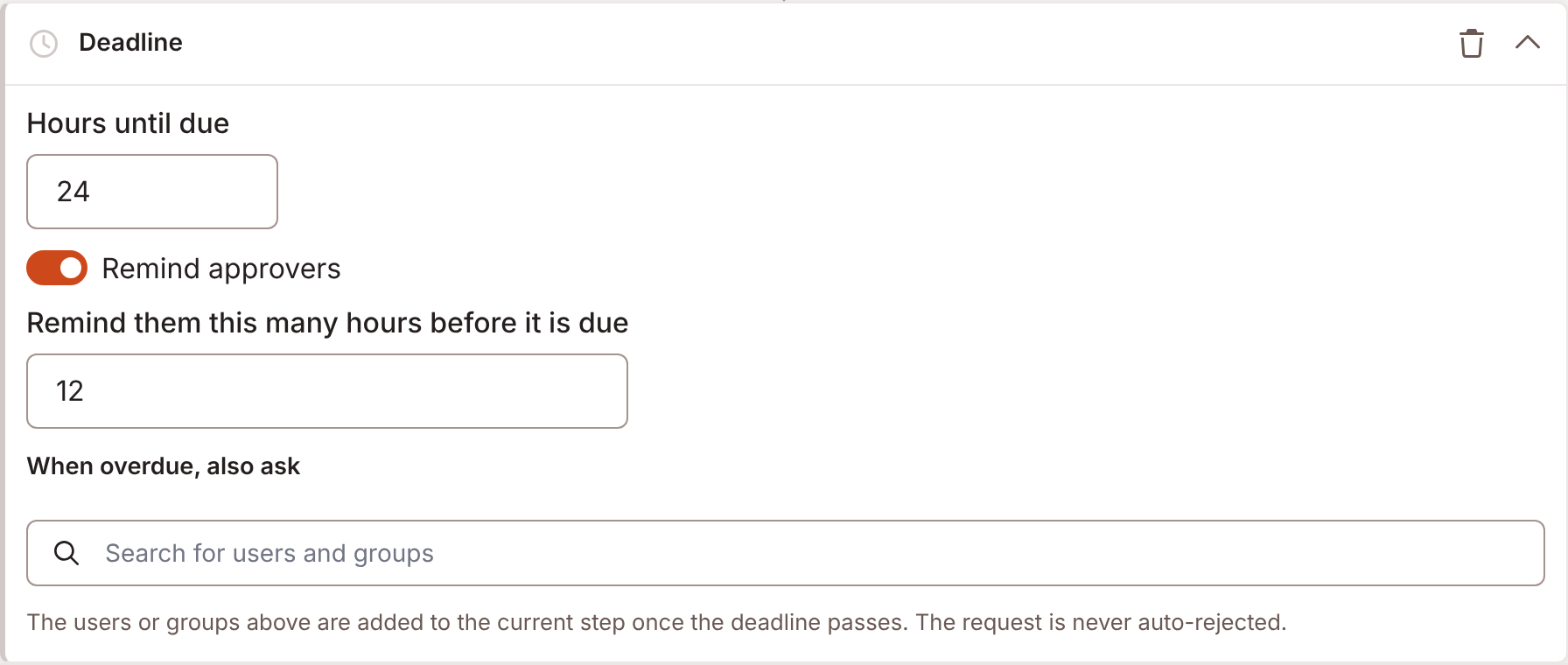
Switch on Remind approvers, then set Remind them this many hours before it is due.
- A new deadline on a new rule starts with the reminder on. It starts at 24 hours, or at half the Hours until due when that is under 48.
- The reminder must be a whole number of hours, at least 1 and less than the hours until due. Otherwise the editor says The reminder must be a whole number of hours, at least 1 and less than the hours until due. and will not save.
- Rules saved before this change have the reminder off.
The scheduled job sends the reminder once, when the request is within that many hours of its due time. It goes to the approvers on the current step who have not yet decided. They get an email titled “Due soon, your approval is needed” and a notice in Foldr.
Foldr sends no reminder when the request is paused, already escalated or decided, or has no deadline. A pause moves the due time, and the reminder with it. A reminder already sent is not sent again after a resume.
What happens at the deadline
Section titled “What happens at the deadline”A scheduled job checks for overdue requests. When one has passed its due time, Foldr adds the When overdue, also ask approvers to the step that is active now. The request is escalated. It escalates once.
- Foldr never rejects a request because it is overdue. The editor says: The request is never auto-rejected.
- Escalation adds approvers. It does not raise what an Every one of them step needs.
- An approver already on the step is not added twice.
- The field named in And the user named in is read at escalation time, so its current value counts.
- A deadline with nobody to add leaves the request pending. It is not escalated.
The inbox marks an overdue request with Overdue. The Overview tab counts Open, Overdue and Escalated requests.
Foldr adds the escalation approvers to the step, logs it, and tells each approver it added that the request “has been escalated to you for approval”. Approvers already on the step are not told again.
Sharing requests expire
Section titled “Sharing requests expire”A sharing request carries its own lifetime. A sharing request still waiting after 14 days lapses, and nothing is shared. The requester is told. A deadline does not change this.
Pause stops the clock
Section titled “Pause stops the clock”Pausing a request stops its deadline. A paused request does not escalate and does not lapse. When it is resumed, or decided, Foldr moves the due time out by the time it spent paused. See Approving.
Foldr Cloud now. Appliances from 11.3.
Escalate by hand
Section titled “Escalate by hand”An approver does not have to wait for the deadline. Escalate hands the request to the rule’s escalation list now.
Foldr Cloud now. Appliances from 11.3.
The Escalate button sits beside Pause, in the inbox panel and on the Decision card in the file viewer. See Approving. It shows only when all of these hold:
- the rule has an escalation list, in When overdue, also ask or And the user named in, and it would reach somebody new: the user who asked, you, users or groups that no longer exist, and anyone already deciding the request are left out,
- the request is not paused (resume it first),
- the request has not already been escalated, by hand or at its deadline,
- the request is not a Disclose release.

- Select Escalate.
- Under Why are you escalating it?, write the reason. It is required, up to 2,000 characters. The form says: It’s handed to them to decide. They’re told who escalated it and why.
- Select Escalate.
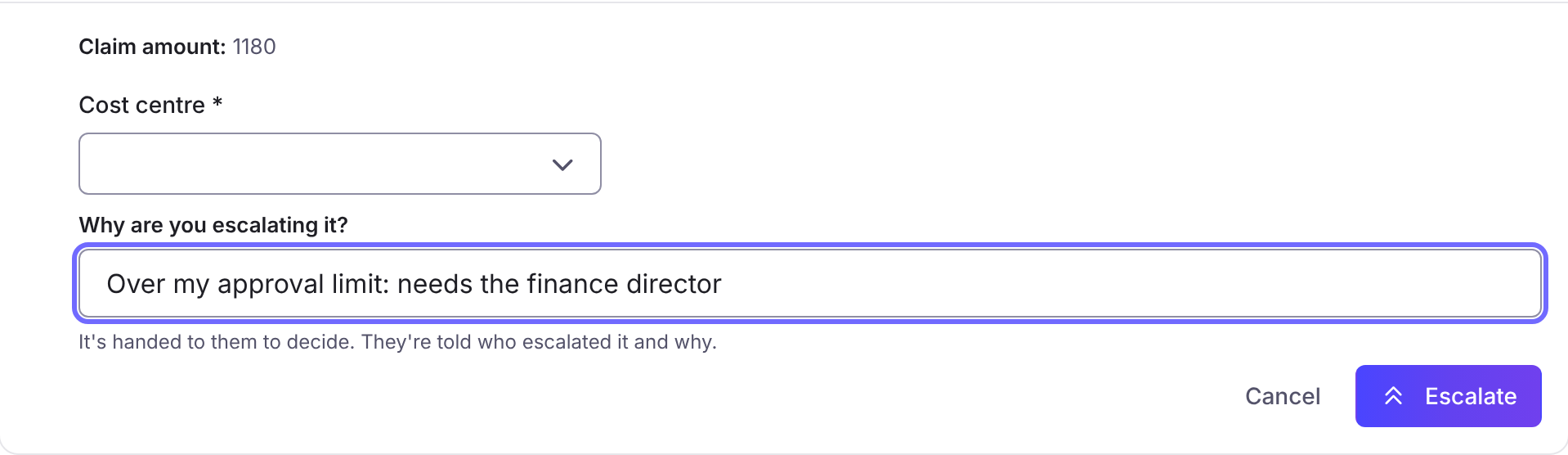
Foldr adds the escalation list to the active step now, the same way the deadline does. Then it hands off: your own task on the step ends, and the request leaves your inbox. The escalation list, and anyone else still on the step, decide it. The toast says Escalated and handed over.
- A task that belongs to a group, or to Any reviewer for the share, is shared, so Foldr leaves it alone and hands nothing off. You stay an approver, and the toast says Escalated.
- If everyone in the escalation list is already on the step, nobody is added and your task stays.
- The approvers it adds get an email titled Escalated to you for approval and a notice in Foldr. Both say who escalated it and why.
- The user who asked gets a notice in Foldr that their request was escalated, and by whom.
- The request is marked escalated: an Escalated chip in the inbox and an Escalated line on the card, with the date. It does not escalate again at its deadline.
- Foldr records review.request.escalated in the audit trail, with your name and the reason.
The deadline escalation is unchanged. It adds approvers when the due time passes, tells them the request was not decided by its deadline, and does not take anyone off the step.