
Expressions
An expression is one line that gives one value. Forms uses expressions wherever an answer depends on other answers: Show this question when, Required when, Valid when, Computed value, Default value, skip logic, Only run this when… on an action, and the submit button conditions. See Logic for where each one goes.
Expressions use MaSH syntax, but they are not scripts. An expression is a single value. It has no statements, no variables you assign, and no loops. It can only read the form, so it cannot change anything.
Every example on these pages is run by tests/forms-docs-examples.php. The block under each example is what it gives. Text is shown in quotes, as "Ada", and a missing value as null.
What an expression can read
Section titled “What an expression can read”| Name | Holds |
|---|---|
answers | The answers so far, by field key: answers.qty. |
vars | The form’s variables: vars.show_extra. |
user | Who is filling in the form, with email, guid, display_name and username. On a form anyone can open, the person is not signed in and every part of user is null. |
row | Inside a table’s Computed value (optional) column: the current row, by column key. |
A field key is the Field key on a question: letters, numbers and underscores, not starting with a number. Two questions cannot share one. A name that is not there reads as null, never as an error.
{"answers": {"qty": 3, "unit_price": 4.5}, "vars": {"show_extra": true}}answers.qty * answers.unit_price13.5answers.nothing_herenullvars.show_extratrueYou can write answers['qty'] as well as answers.qty. Keys also match across snake_case and camelCase, so user.display_name and user.displayName are the same.
Missing and blank values
Section titled “Missing and blank values”A question the person has not answered is null. A cleared text box is "". In a calculation null reads as 0 and a blank string reads as 0, so a form with an optional number still adds up.
{"answers": {"a": 4}}answers.a + answers.b4Use is_empty(answers.b) to test for a question with no answer. It is true for null, "" and an empty list, and false for 0 and false, which are real answers.
is_empty(answers.b)trueUse ?? to give a missing answer a stand-in:
answers.nickname ?? "none""none"Reading further into a missing value is safe too. answers.profile.country is null if profile is missing.
Strict mode
Section titled “Strict mode”Calculated fields, which are not part of Forms, run in strict mode. There a blank or non-numeric operand is an error and not a 0, and dividing by zero is an error. coalesce(x, 0) turns a blank back into 0. Forms always use the lenient rules described above. This page shows strict results only where it says so.
{"answers": {"x": null, "y": 4}}answers.y + answers.xerror: A number is needed here but the value is blankThe same expression is lenient in a form:
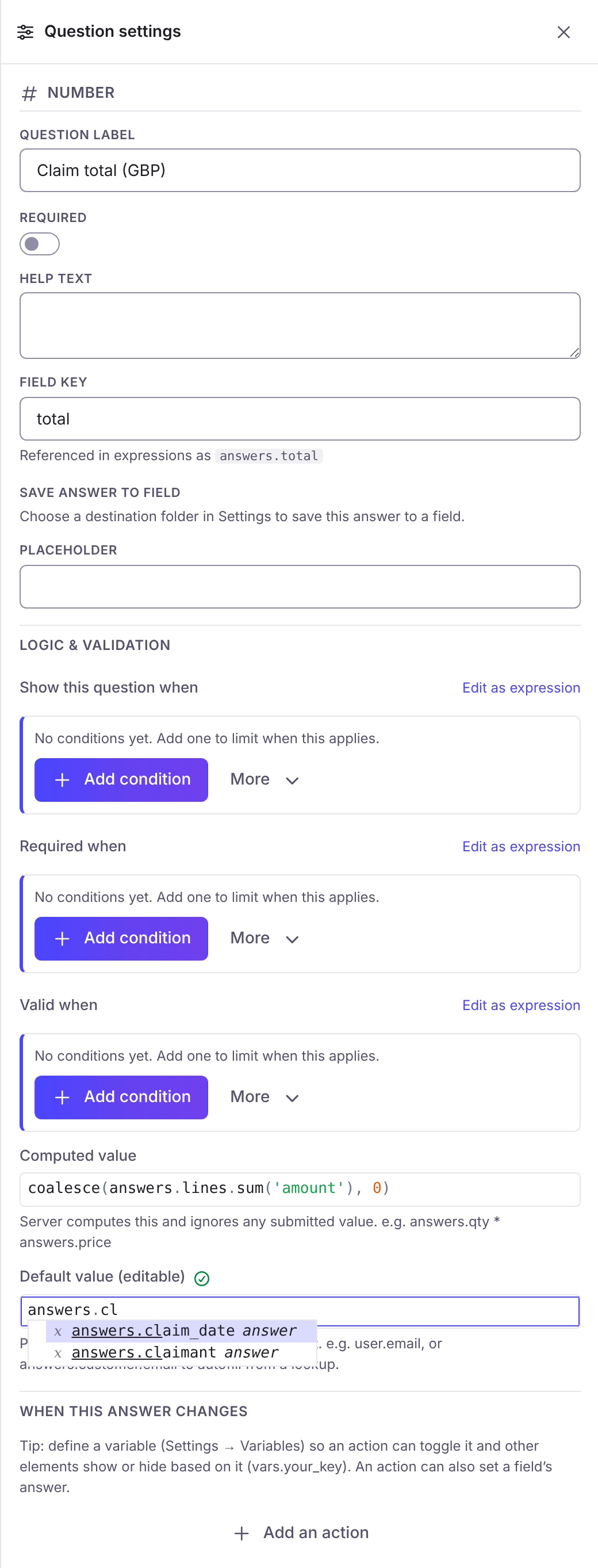
answers.y + answers.x4Where an expression is typed, the field suggests answers and functions as you type:
Where expressions run
Section titled “Where expressions run”Foldr checks every expression twice. The form in the browser runs them as the person types, so a question appears or hides at once. When the response is sent, Foldr runs every rule again on the server, and the server’s answer is the one that counts. Answers to questions that were hidden are dropped. A person cannot get past a rule by changing what their browser does.
An expression is checked when you publish. A form with an expression that does not parse cannot be published.